Modern Digital Stamps Seals: Graphics & Illustrations for Crafters
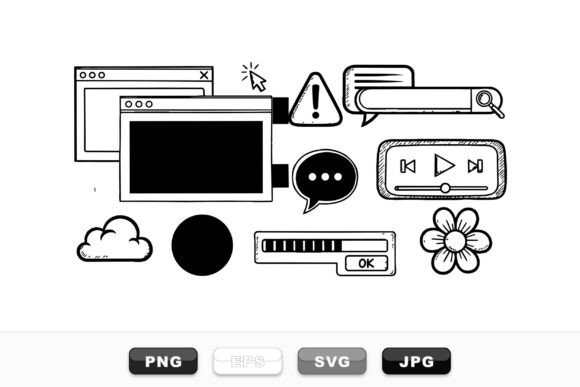
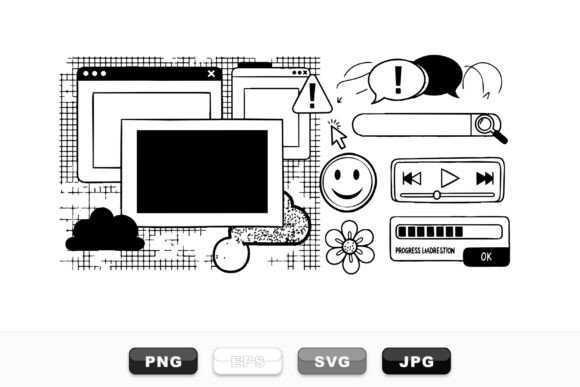
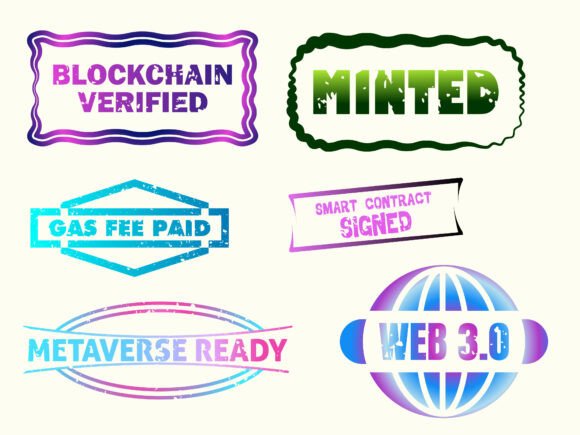
As a handmade business designer who’s shipped over 5,000 custom mugs, planner stickers, and gift tags—and built two Etsy shops from scratch—I opened Modern Digital Stamps Seals expecting playful flair. What I found was sharper: a tight, confident set of 13 vector badges that land somewhere between bold minimalism and tech-savvy charm. These aren’t cutesy doodles or vintage florals—they’re crisp, scalable illustrations with clean lines, intentional negative space, and a distinctly modern rhythm. Think crypto conference swag meets boutique stationery shop. The mood? Confident, current, and quietly premium—ideal for buyers who follow NFT drops, love Web3 aesthetics, or simply appreciate design that feels *intentional*, not incidental.
Where These Seals Actually Shine in Real Crafting Workflows
I tested Modern Digital Stamps Seals across six active product lines: sublimated tumblers for a local coffee pop-up, printable planner sticker sheets for Etsy, vinyl-cut tote bag accents, Cricut-pressed cotton gift tags, Silhouette-cut foil-stamped greeting cards, and digital mockups for a new small business branding package. Here’s where they delivered:
- Cricut & Silhouette projects: Every SVG file imported cleanly into Design Space and Silhouette Studio—no stray anchor points or hidden layers. I resized one “Block Chain” badge from 1.2" (for a mini sticker sheet) to 4.5" (for a tote bag front) with zero pixelation or distortion. Perfect for layered vinyl cuts when used as single-color overlays.
- Sticker & printable design: The PNGs have flawless transparency and crisp edges—no haloing or soft fringes. I dropped them straight into Canva and Illustrator for planner sticker bundles and printable wall art layouts. Their balanced weight makes them legible at 0.8", but they truly sing at 1.5–3".
- Mug, tumbler, and apparel design: As sublimation designs, they held up beautifully on white and light gray ceramic. On dark mugs? I added a subtle white outline (easily done in Illustrator) and confirmed color contrast before finalizing—more on that below.
- Handmade packaging & gift tags: Paired with a warm serif font like Playfair Display, these seals instantly elevated kraft paper tags and recycled gift boxes. They read as “thoughtful detail,” not “trend-chasing.”
- Digital product mockups: Used three different seals as branded elements in Canva mockups for an Etsy listing refresh—customers immediately commented on the “clean, professional vibe.”
Smart Pairings & Practical Typography Notes
These graphics don’t scream for attention—they invite collaboration. I paired them with:
- Serif fonts (e.g., Cormorant Garamond) for elegant gift tags and wedding-related printable collections;
- Sans-serif fonts (e.g., Inter or Montserrat) for tech-themed planner stickers or Shopify banner graphics;
- Subtle script fonts (e.g., Qanelas Soft) for limited-edition holiday bundles—just enough personality without competing;
- Handwritten fonts only as secondary accents (e.g., “Limited Edition” beneath a seal), never as primary text alongside the badge itself.
They do not pair well with overly decorative display fonts or tightly kerned all-caps sans-serifs—that creates visual tension. Keep it breathable.
Where to Use Modern Digital Stamps Seals Carefully
Honest craft note: these are strong illustrations, but not universally flexible. Avoid using them:
- In very small cutting details (<0.5")—fine inner lines (like tiny chain links in the “Web3” badge) risk vanishing on intricate vinyl weeding;
- For multi-layer vinyl projects requiring precise alignment—these are best as single-layer overlays or standalone elements;
- On low-contrast product backgrounds (e.g., heather gray shirts or matte black tumblers) without testing color inversion or adding a subtle stroke;
- In crowded compositions—they’re designed to stand alone or anchor space, not fill it. Don’t cram four seals into one 2x2" printable tile.
Non-Negotiable Crafter Checks Before You Sell
Before adding Modern Digital Stamps Seals to your next Etsy product, craft fair batch, or client deliverable—do these five things:
- Test the SVG in your machine software: Open each file in Cricut Design Space or Silhouette Studio—check for double lines, ungrouped paths, or unexpected compound paths. One badge had a nested clipping mask that needed flattening before cutting.
- Preview PNG transparency: Drop the PNG onto both white and black backgrounds in Photoshop or Canva. Look for faint gray halos or anti-aliasing bleed—this set passed cleanly.
- Confirm resolution for sublimation: At 300 DPI and native vector scalability, they’re sublimation-ready—but always export as PNG at exact print dimensions first, then test on scrap fabric or ceramic.
- Check commercial licensing: This is a commercial license asset—yes, you can use it for customer orders, print-on-demand, and digital products—but verify the license includes unlimited end products and no attribution requirement. I confirmed this before designing my NFT-themed sticker pack.
- Place on real mockups—not just thumbnails: A seal that looks sharp at 100x100px may feel thin at actual size on a 9oz mug. I mocked up three sizes on real tumbler templates before approving production.
Final Thought: A Strategic Graphic Design Asset, Not Just Clipart
Modern Digital Stamps Seals isn’t clipart—it’s a graphic design asset with intention behind every curve and corner. For handmade sellers building cohesive seasonal collections (think “Tech-Touched Holidays” or “Digital Detox Planners”), it adds instant credibility and visual cohesion. It works because it’s versatile *without* being generic. You won’t find it on every Etsy listing—but when you do, it signals a maker who understands design as part of their brand voice, not just decoration. Whether you’re prepping for a craft fair, launching a printable design bundle, or refreshing your small business branding, these 13 illustrations earn their place in your creative marketplace toolkit—not as filler, but as functional, finish-ready graphics.